Bullets, Numbers, Ordered and Un-Ordered Lists
Joomla! content editor’s provide different types of lists to choose from when constructing your page. The most commonly used are ordered and unordered lists. Choosing what type of list to use, or to use a list at all, comes down to the content at hand and what is the most meaningful choice, for displaying the content of your document. Lists are commonly formatted as bullets or numbers when listing items.
An 'Unordered List', looks like this, in HTML:
<ul>
<li>item 1</li>
<li>item 2</li>
<li>item 3</li>
</ul>
and will look like this when outputted in the editor's WYSIWYG view.
- item 1
- item 2
- item 3
While an 'Ordered List', looks like this in, HTML:
<ol>
<li>item 1</li>
<li>item 2</li>
<li>item 3</li>
</ol>
and again, will look like this, when outputted in the editor's WYSIWYG view.
- item 1
- item 2
- item 3
Creating Lists
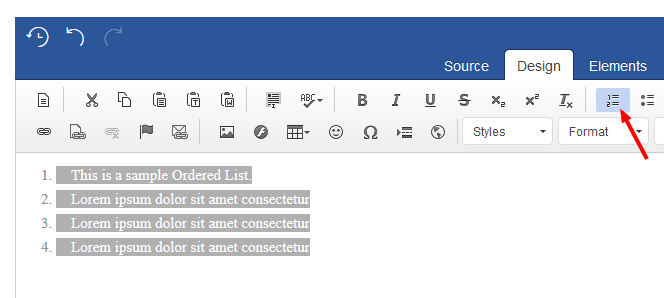
You can do this, by selecting your text in the editing area and then select the 'Number List' button from the editor as seen below:
1. Ordered List
An 'Ordered list', places strong importance, on the order of items:
- This is a sample Ordered List.
- Lorem ipsum dolor sit amet consectetur
- Lorem ipsum dolor sit amet consectetur
- Lorem ipsum dolor sit amet consectetur
Ordered List Properties
A little known secret, is that lists can have their own custom properties. This can be applied, simply by selecting and by right clicking on your list type. This can be used to define the starting number of your list or to change listing style or numbering type.
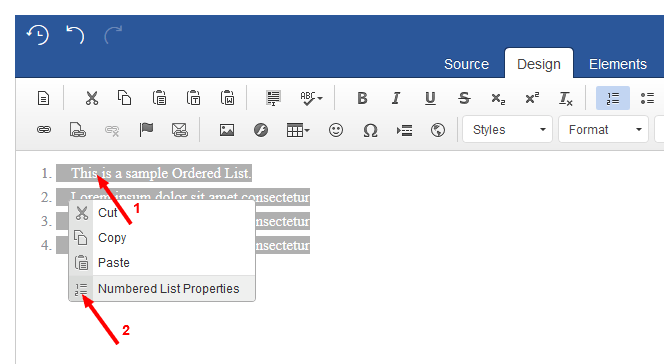
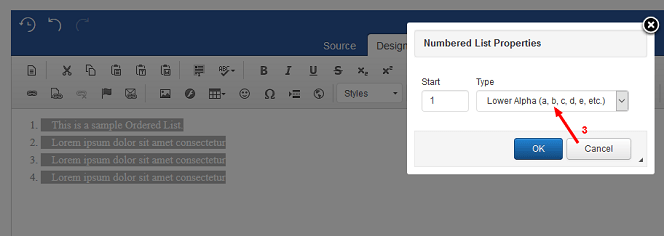
Here are a few examples
- This is a sample of the 'Lower Alpha' number list.
- Lorem ipsum dolor sit amet consectetur
- Lorem ipsum dolor sit amet consectetur
- Lorem ipsum dolor sit amet consectetur
2. Un-Ordered List
Unordered lists, are for lists of items, where the order is not of importance:
- This is a sample Unordered List.
- Lorem ipsum dolor sit amet consectetur
- Lorem ipsum dolor sit amet consectetur
- Lorem ipsum dolor sit amet consectetur
Un-Ordered List Properties
Different bulleted list properties can be applied by selecting and by right clicking on the list:
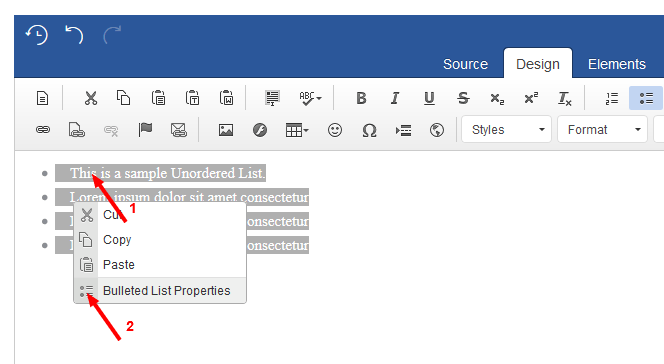
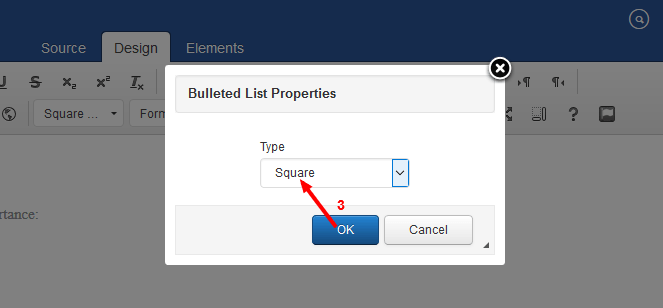
- This is a sample of the 'Square' bulleted list.
- Lorem ipsum dolor sit amet consectetur
- Lorem ipsum dolor sit amet consectetur
- Lorem ipsum dolor sit amet consectetur