Working inside Containers
In certain situations you may want to work within a container. It could be that you have applied a style to a p (paragraph) or div container and want to work inside it. The good news is that you can do this by using the 'Ctrl + Return' which will create a break return ‘<br>’ element within your paragraph.
This leaves no padding or margins between the two blocks of text created by the break return and will look something like this in your code:
<p>
    Heading 1<br />
    Heading 2<br />
    Tunc Tharsos vindicem a his auditorio iubet feci dicentes multa ei auri tecum ait. Tharsiam vis lacrimis
    invidunt. Longe lateri rex in modo invenit quasi non ait mea ego
</p
This creates a newline within your container without breaking out of the p container.
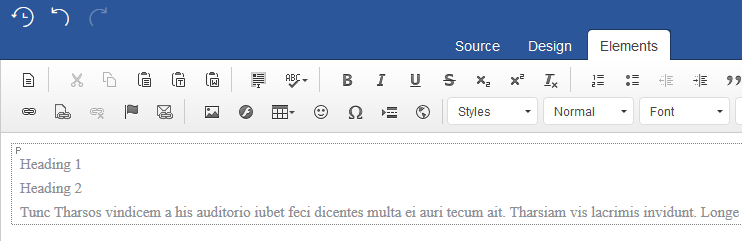
It can be especially useful as you can build up interesting styles and bring more of a 'wow' factor to your content. Let's see how to do this by using the styles that come packaged in this particular Joomla editor.
Let's start by place your cursor on your p container and select a style from the drop-down List. You will notice that the 'bluebox-jck' style is then applied to the surrounding p container: