Upgrading
Automatic update process
The good news is that the core ‘Ark Editor’ and ‘Component’ comes with it own 'Ark Extension Manager' which provides a simple and easy way to manage and keep your Ark software up-to-date. For more about this please see: http://arkextensions.com/documentation/ark-extension-manager
Using Joomla's Installer
If from any reason the update process fails or you need to do this manually, you still can download the package from this link (http://www.joomlackeditor.com/downloads/viewcategory/46-jck-suite) and use Joomla installer upgrade. Go to ‘Extensions’ and click on ‘Extension Manager’. Under `Upload Package File’ click on `Browse...’, navigate to the Zip file, select it and click `Upload File & Install’.
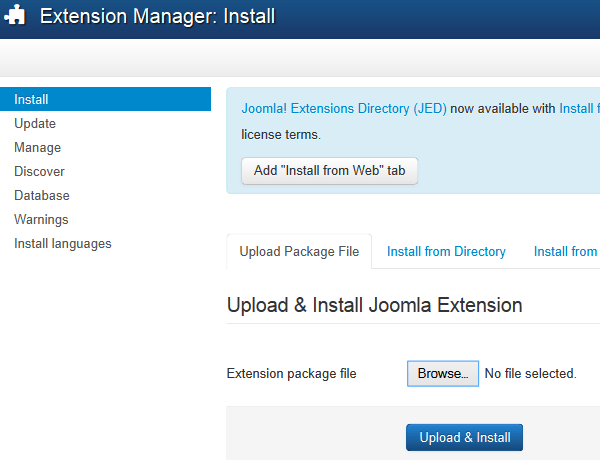
The system will now automatically update the Package Ark Editor. Once completed it will inform you that the application has been successfully installed.