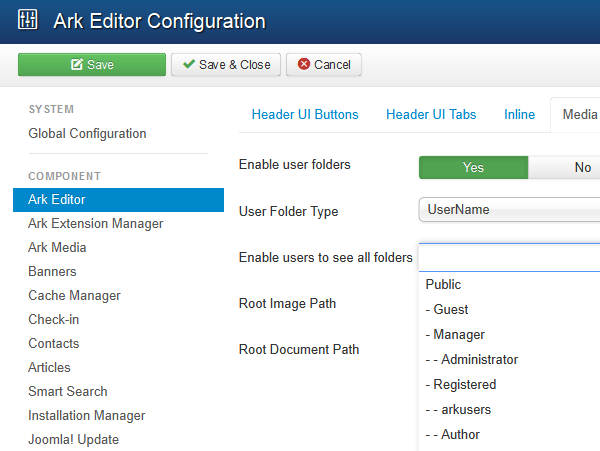
User Folders
If you are using the pro verison, user folders will be enabled by default. This allows your users to manage their own images and files and restrict who can view them.
To do this please go to 'Components' > ‘ARK Editor’ > click on the 'Options' button on the top righthand side of the screen and select the 'Media Manager' tab.


Please see below for an example of the user folder structure on the server.

The file path for these files (by default) is:
Please note that once you have chosen your configuration, the users, username / id will be embedded in the image file path.
E.g, image file path:
img src="/ images/users/username/mypic.jpg " alt="
User Folders Permissions
Next the editor will allow you to assign rights to specific Joomla user groups. This parameter will allow the selected user groups permission to view “all user folders”. Generally speaking only the ‘Super Users’ should be permitted to view all files however, if you would like to apply this to multiple user groups, you can do this by 'clicking' and holding down the ‘Shift’ key.